
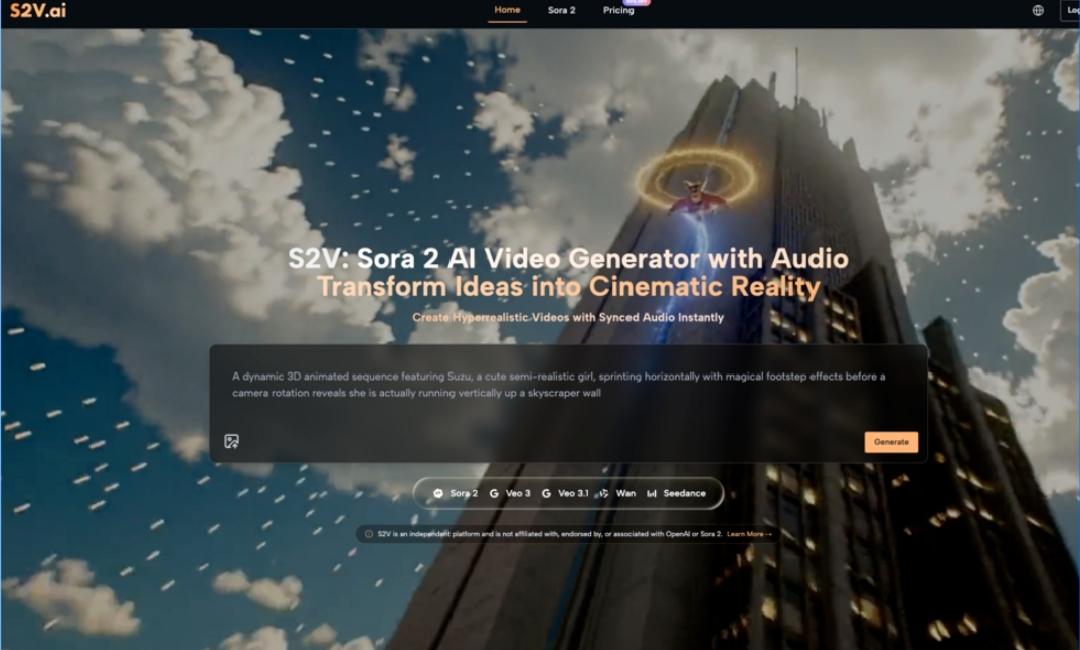
AI video generation tools have opened up a world of possibilities for content creators, marketers, and professional producers. Platforms like Sora 2 AI Video Generator are making it easier than ever to create high-quality videos by combining cutting-edge AI models with intuitive features. However, for beginners, diving into AI-powered video tools can feel overwhelming, filled with uncertainty and trial-and-error.
This guide will help you understand how to realistically adopt AI video tools like Sora 2, navigate the learning curve, and gradually refine your workflow to achieve better results over time.
Why Should You Try AI Video Tools?
Traditional video production—whether it’s scripting, filming, or post-production—requires significant time, budget, and technical expertise. AI video tools, such as Sora 2 AI Video, are changing the game by automating many of these tasks, allowing more people to create professional-quality videos with fewer resources.
Here are some key advantages of AI video tools:
- Time Efficiency: Quickly generate high-quality videos without starting from scratch.
- Cost-Effective: Reduce the need for expensive equipment or large production teams.
- Creative Support: Turn text descriptions or images into dynamic videos, unlocking new creative possibilities.
That said, while these tools are powerful, they are not magical. Beginners should approach them with realistic expectations and an open mind toward learning.
Common Challenges for First-Time Users
When you first open the Sora 2 AI Video Generator or any similar tool, it’s natural to feel a bit lost. Here are some common challenges—and how to overcome them:
1. Unrealistic Expectations
Many first-time users assume that AI tools will instantly produce polished, ready-to-go videos. While the technology is advanced, the quality of the output heavily depends on the quality of your inputs.
- The Misconception: Entering a vague prompt like “Create a cool promotional video” will yield perfect results.
- The Reality: AI works best with clear, specific instructions. For example, “Create a 30-second product demo showcasing a modern office setting, with upbeat background music and natural lighting” will produce far better results.
2. The Learning Curve
Even though tools like Sora 2 AI Video are designed with user-friendly interfaces, understanding how to refine prompts, choose the right model, and adjust parameters takes practice.
- Tip: Start small. Experiment with basic features before diving into advanced options like multi-scene narratives or image-to-video animations.
3. Results May Vary
It’s common for the initial results to look different from what you envisioned. This isn’t a flaw in the tool—it’s part of the process of learning how to communicate your vision effectively to the AI.
- Why It Happens: If your input lacks detail or clarity, the AI has to make assumptions, which might not align with your expectations.
- Solution: Take the time to refine your prompts. Be as descriptive as possible about the scenes, actions, styles, and moods you want. Iterating on your input is key to achieving better outcomes.
How to Get Started with Sora 2 AI Video Generator
1. Choose the Right AI Model
Sora 2 AI Video offers several models, each tailored for specific needs:
- Sora 2 Basic: Fast and efficient, ideal for short and simple videos.
- Sora 2 Pro: Delivers cinema-grade quality with more control over details.
- Sora 2 Pro Storyboard: Perfect for creating multi-scene narratives with continuity.
- Veo 3 & Veo 3.1: Google-powered models that generate videos with integrated audio, including sound effects and synchronized soundscapes.
If you’re a beginner, start with the Basic model to familiarize yourself with the tool. Once you’re comfortable, you can experiment with the Pro and Storyboard models for more advanced projects.
2. Start with Simple Projects
When you’re new to AI video creation, it’s best to keep your first projects simple and manageable. Here’s a step-by-step process to get started:
- Define Your Goal: Decide what type of video you want to create, such as a product demo, social media ad, or educational content.
- Write a Clear Prompt: Use natural language to describe your vision. For example, “A person working in a coffee shop with sunlight streaming through the window and soft background music.”
- Select the Right Model: Based on your project’s complexity, choose the most appropriate Sora 2 model.
- Generate and Refine: Run your prompt, review the results, and tweak your input as needed. Iteration is key to getting closer to your creative vision.
3. Explore Advanced Features
Once you’ve gotten comfortable with the basics, start exploring the advanced features of Sora 2 AI Video, such as:
- Multi-Scene Narratives: Use the Pro Storyboard model to create longer, cohesive videos with multiple scenes.
- Image-to-Video Animation: Upload static images, add motion descriptions, and watch them come to life as dynamic videos.
- Native Audio Integration: With Veo 3 models, generate videos with perfectly synchronized sound effects, ambient audio, and background music.
These features allow you to tackle more complex projects and elevate the quality of your creations.
Common Misconceptions About AI Video Tools
1. “AI Tools Can Replace Human Creativity”
AI tools are incredibly powerful, but they aren’t a replacement for human creativity. Instead, think of them as a collaborator that helps bring your ideas to life.
- How to Approach It: Use AI-generated videos as a starting point. You can always refine and enhance them through manual editing or additional creative input.
2. “You Need Technical Skills to Use AI Tools”
Many beginners worry that they lack the technical know-how to use AI tools effectively. Platforms like Sora 2 AI Video are designed to be accessible to users of all skill levels.
- How to Get Started: Take advantage of tutorials, templates, and beginner-friendly models. Start small and build your confidence over time.
3. “AI Video Tools Are Expensive”
While some AI tools can be costly, platforms like Sora 2 offer a range of models to suit different budgets and needs.
- Pro Tip: Choose a model that aligns with your project’s requirements. For example, use the Basic model for quick content and save the Pro or Storyboard models for high-stakes projects.
The Long-Term Value of AI Video Tools
Adopting AI video tools is a journey that evolves over time. While the learning curve may feel steep at first, the long-term benefits are worth the effort:
- Increased Efficiency: As you become more familiar with the tool, you’ll be able to create high-quality videos much faster.
- Expanded Creativity: AI tools can help you experiment with ideas and styles you might not have considered before.
- Cost Savings: By reducing the need for extensive resources, AI tools can help you save time and money on production.
For example, with Sora 2 AI Video, you can quickly create professional-grade promotional videos for marketing campaigns, freeing up time for other creative tasks like strategy and distribution.
Final Thoughts: Embrace the Process of Learning
Getting started with AI video tools like Sora 2 AI Video Generator can feel intimidating, but it’s important to remember that mastery takes time. Don’t expect perfection from your first few attempts—instead, focus on learning, experimenting, and improving with each project.
By starting small, setting realistic expectations, and gradually exploring more advanced features, you’ll soon find yourself creating videos that are not only efficient but also creatively fulfilling. AI video tools are not a shortcut to instant success, but with patience and persistence, they can become an invaluable part of your creative toolkit.
So, take that first step. The future of video creation is here, and it’s waiting for you to explore.